

9 Best WooCommerce Ajax Product Filter Plugins To Use In 2022
A horizontal Product Filter means filters are arranged horizontally on the webpage. With the help of the Woo Choice Plugin(free), you can add an advanced ajax Horizontal Filter for any WooCommerce product page (like the Shop page or Category page).
You can cover any kind of advanced or custom requirements using Horizontal Product Filter because in Woo Choice Plugin it had grown mature and covered all kinds of requirements, you can add Sliders, Buttons, Icons filters, dropdown-based filters, Checkbox based filters, radios, and the list goes on.
Thanks to Jewelry Diamond Industries, Woo Choice Plugin had matured Horizontal Filters to its best because Jewelry and Diamond Industry requires advanced and visually appealing Horizontal filters, especially for Diamond search pages. But now we are excited to offer these filters for the entire eCommerce industry because it can be proved very useful in clothing or any other requirements. You can take a look at a Horizontal Filter that is set up with Woo Choice Plugin here.
Woo Choice Plugin provides many advanced & customizable features. ShortCode Filters are also available in Woo Choice Plugin, which has the power of adding horizontal filters anywhere on any web page.
Advantage
- It’s Free.
- It’s advanced and fully customizable from every part.
- It’s easy to use.
- You can customize appearance and design as per your requirements.
- You can add customize CSS.
How to add Horizontal Filter for WooCommerce Product Module via Woo Choice Plugin?
First of all, just Install and Activate Woo Choice Plugin. For Installation and Setup, follow the Documentation page here.
You can follow the below instruction and complete the setup wizard and sample data process. And, you will get filters the same as it is displayed in the snap below. Otherwise, you follow so manual process given below.
For Diamond Jewelry:

For Clothing:
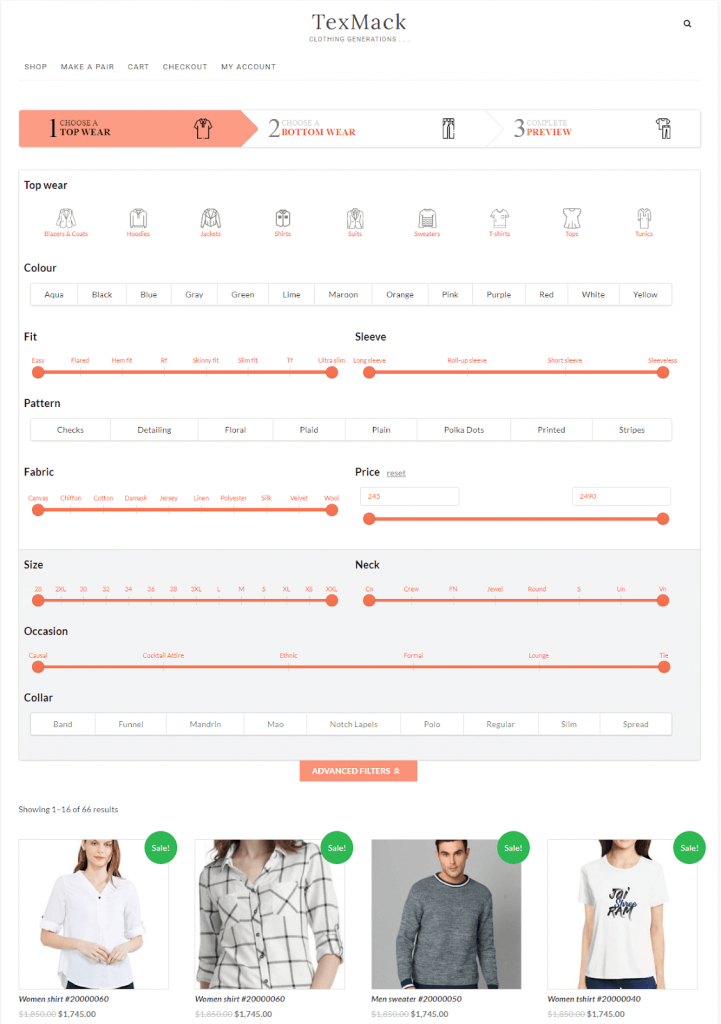
So, just add products data via WooCommerce and then follow the steps given down below to add or create a Horizontal Product Filter.
If you prefer doing setting up everything manually only then follow from below.
Firstly, create one category and add products via WooCommerce.
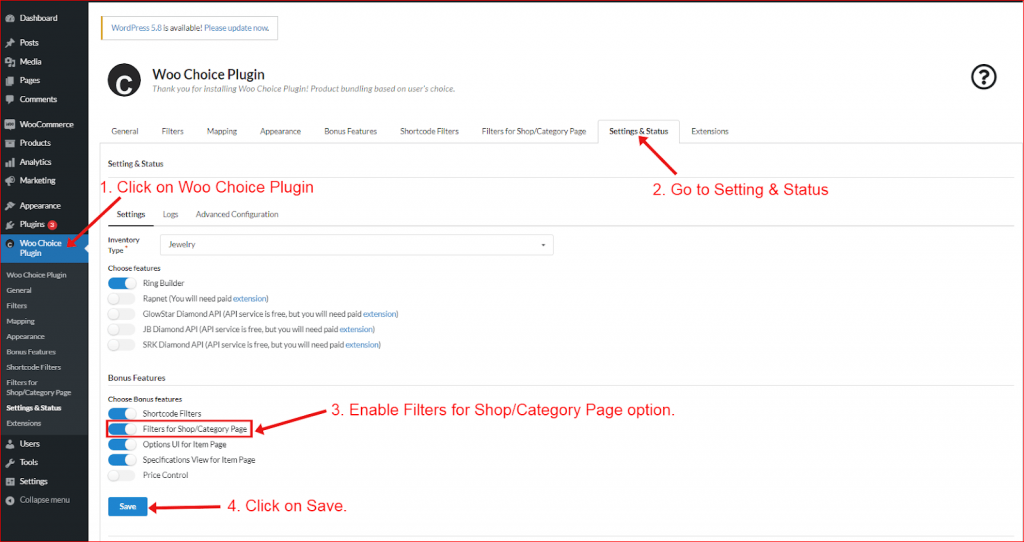
Step: 1 Go to Woo Choice Plugin admin panel > Setting & Status> enable Filters for Shop/Category page option. And, you can also follow the documentation of the Shop/Category tab.
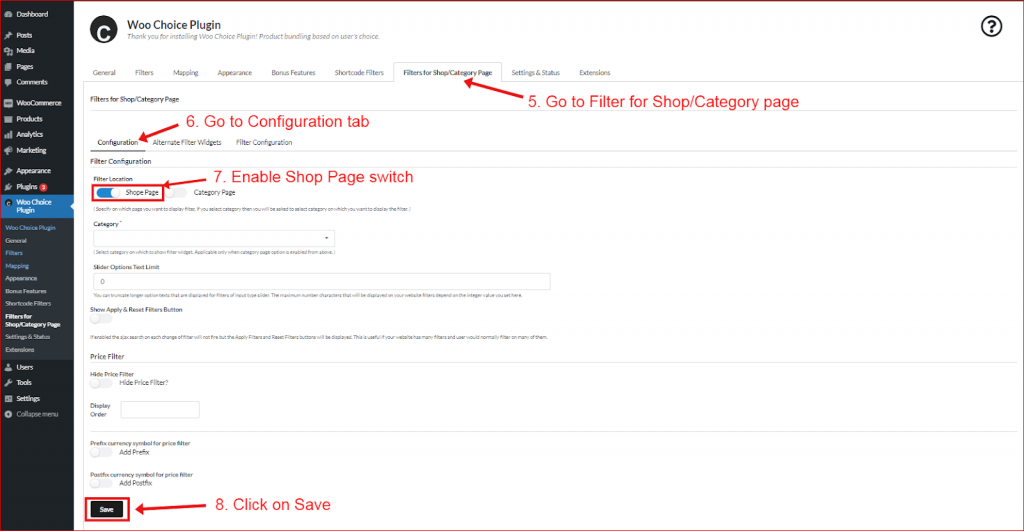
Step: 2 Go to Filter for Shop/Category page> Configure tab> Enable Shop page and Category Page options.
Step: 3 Now, go to the Filter Configuration tab (beside Configuration and Alternate Filter widget tab) and add Filters & configure Filter Fields(which you want to show on the front end of the Shop page or Category or any page).
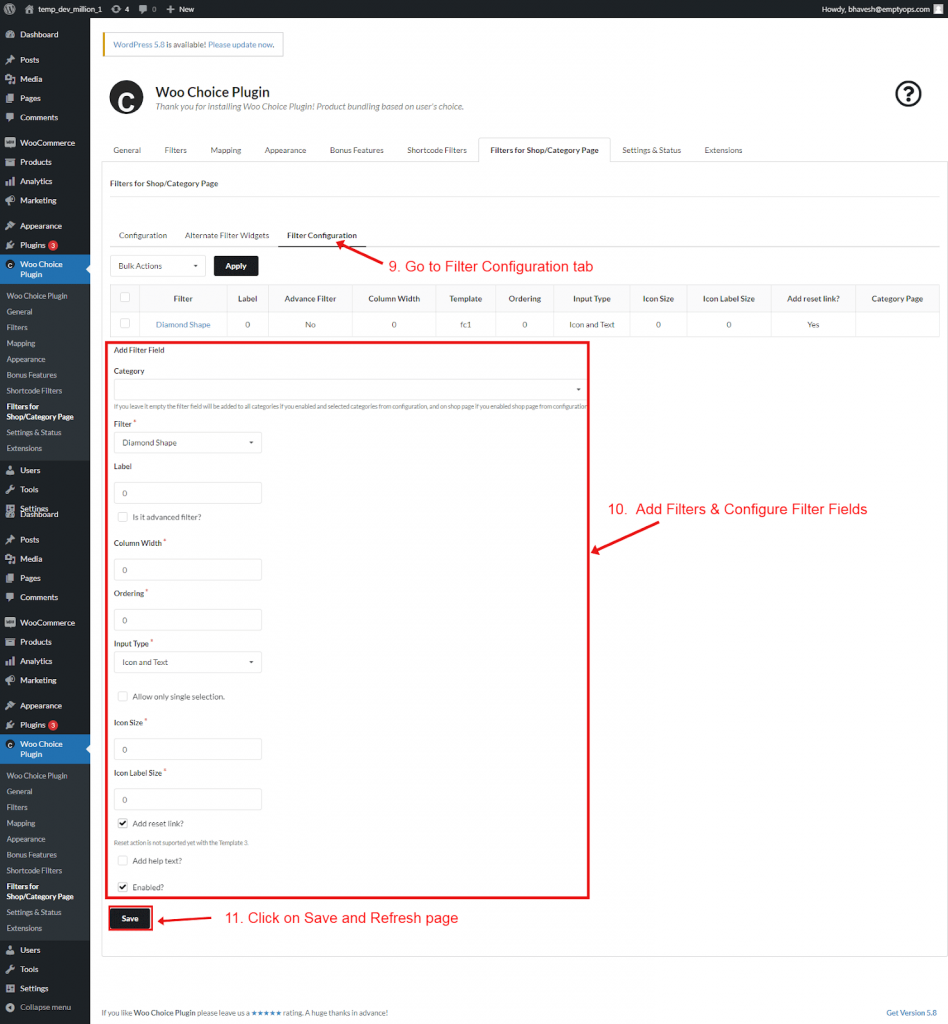
Step: 4 After configuration and adding filters, lastly save it and refresh.
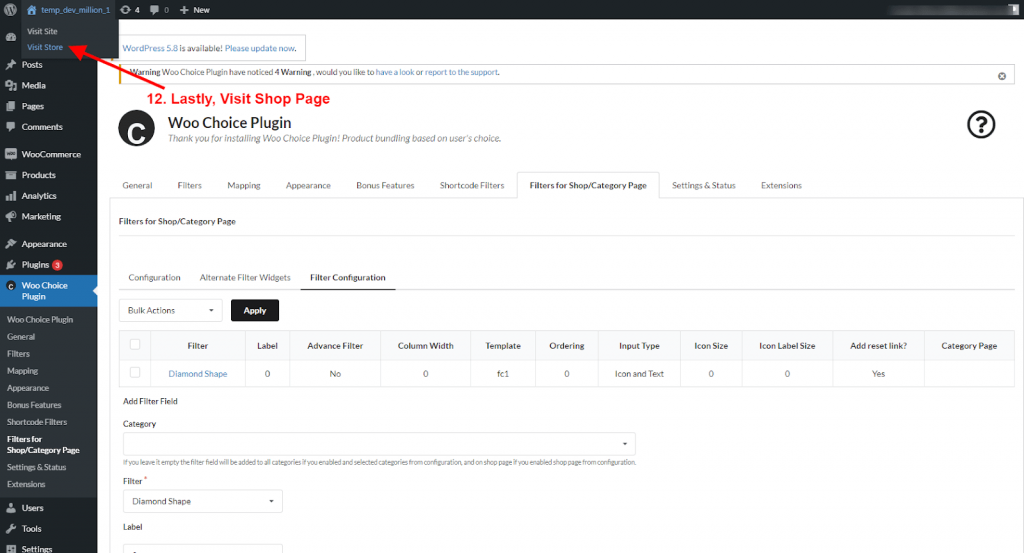
Lastly, the output will look like the number of filters and the kinds of filters you have added for the manual way.
To know more about our plugin and extensions, visit here.